Lesson 26: Game Items and Props
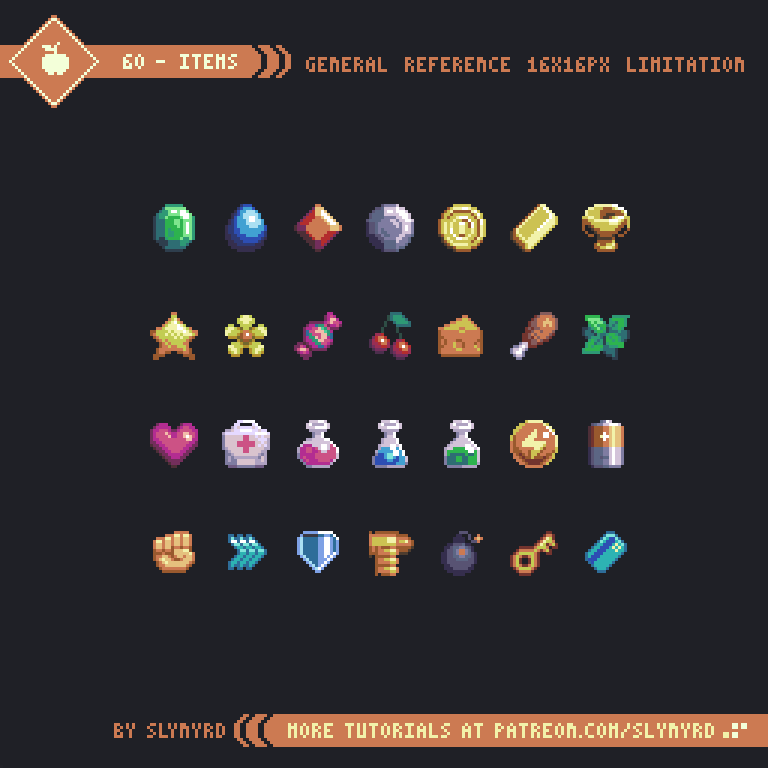
Environment is set — inside it you need things to pick up, use, and equip. These small things are items / props.
Small as they are, the rules match big environments: readable at a glance, unified style, don't outshine the protagonist.
1. Sort by Function First
| Type | Purpose | Examples |
|---|---|---|
| Consumable | One-time use | Potions, food, ammo |
| Equipment | Worn for ongoing effect | Sword, armor, ring |
| Material | Craft / upgrade input | Ore, herbs |
| Quest item | Story / unlock | Key, letter |
| Currency | Trade medium | Gold, tokens |
| Collectible | Codex, achievements | Cards, stars |
Rarity often hinted by border/glow color (white → green → blue → purple → gold). Convention, not law — if you use it, use it game-wide; don't sometimes border, sometimes not.
2. Readability: Know "What It Is, Worth Picking Up" in Half a Second
Inventory slots, ground drops — players rarely stop to admire.
Three levers:
1) Shape language
| Shape | Easy Association |
|---|---|
| Round bottle / orb | Potion, bomb, fruit |
| Long bar | Sword, staff, pickaxe |
| Blocky / square | Shield, book, crate |
| Key shape | Door, unlock |
| Star / diamond | Gem, emblem |
2) Color coding (industry habit — change if you want, but stay consistent)
- Red → HP / healing
- Blue → MP / magic
- Green → poison / herbs / nature
- Gold → money, lightning, highlight reward
- Purple → rare / eerie
3) Same category, same structure
Potions are all "bottle + liquid + stopper"; weapons are all "handle + blade." Players read structure, not your one bottle's unique pattern.
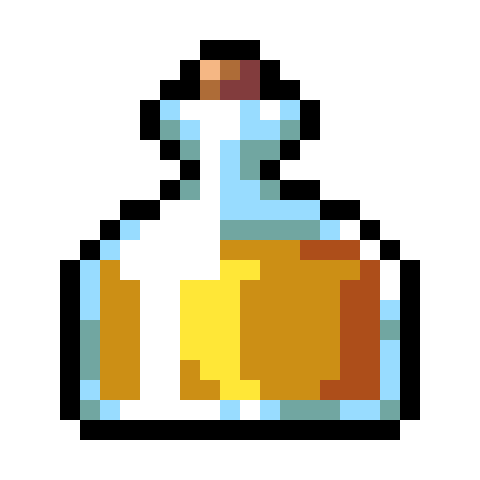
Same bottle shape, swap liquid color — the system reads instantly. Clearer and cheaper than every bottle a different vessel.
3. How to Draw Icons: Size and Layers
Common sizes:
| Use | Size |
|---|---|
| Inventory / hotbar | 16×16 or 32×32 (this lesson defaults to 32; 16 OK to find shape first) |
| Equipment display | Can be larger |
When drawing:
- Dark outer outline — stands on any UI background
- Big color blocks first — halved size should still guess sword vs. potion
- Restrained highlights — glass: small bright top-left; metal: one bright edge; fabric: no mirror chaos
- Uniform margin — same icon set, consistent padding on all sides
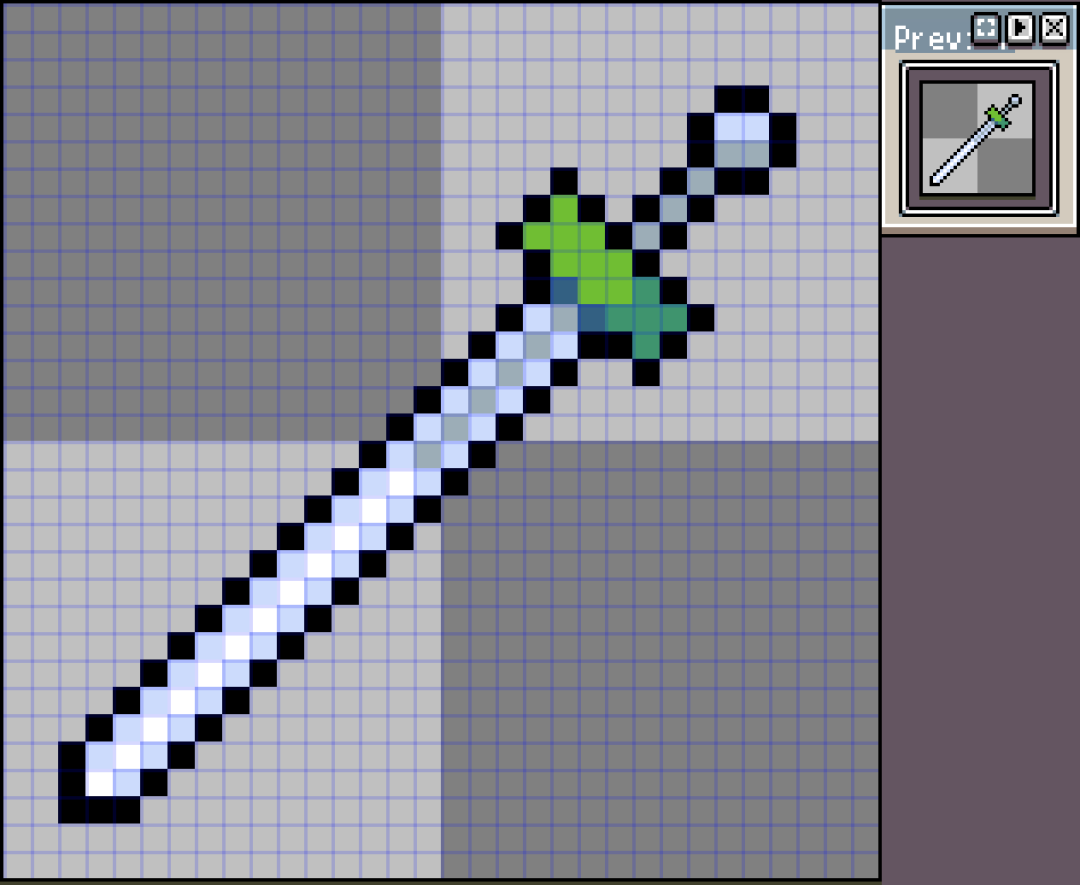
Weapons: silhouette must read as weapon first, then handle vs. blade zones. Handle too thin, blade too fragmented — inventory turns to noise.
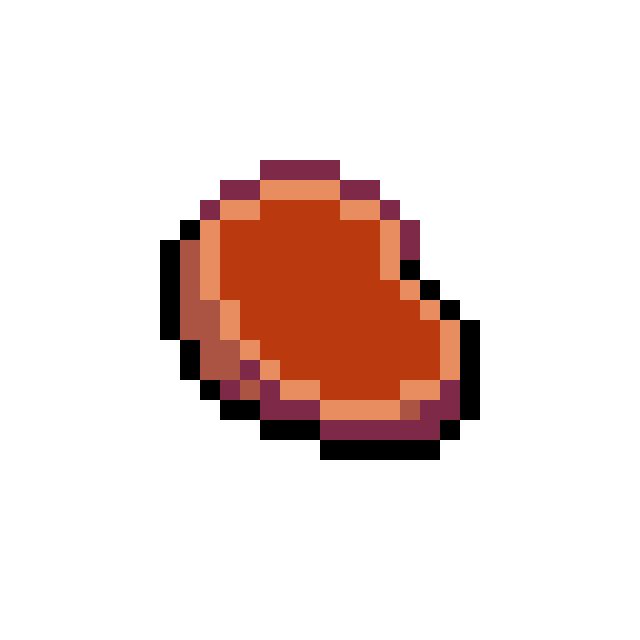
Food / materials same: big shape and primary color first; fat edge, texture later. At small size "reads as meat" beats "realistic grain."
4. Chests, Drops, and Visibility in the World
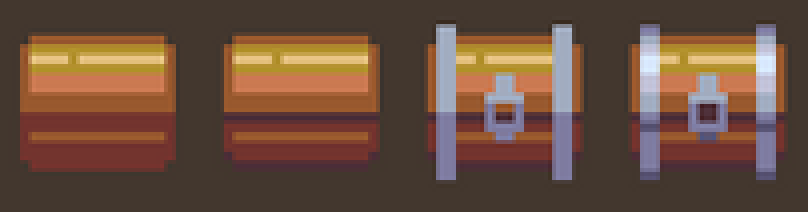
Containers are item language too: wood crate → common; metal bands / lock → better; gold trim / glow → rare. Add parts step by step easier than carving detail from frame one.
When placed in scene, self-check:
- Still outline or faint glow in grass / dark corners?
- Must-pick items pop more than background (but not brighter than protagonist)?
- Pickup feedback at minimum: vanish / shrink / sound (animation lessons later)
Shops and inventory can add text later; on the ground, graphics first.
5. Suggested Workflow (Enough for Small Projects)
- List 8–20 items needed for this level (don't draw a hundred at once)
- Visual rules per category: bottle type, handle type, border color
- Draw one row at unified size
- Shrink to ~50% or drop into scene sketch: still distinguishable?
- Key items (health potion, main weapon): optional 2–3 frame idle float
6. Homework
Make at least 8 unified-style item icons (recommend 32×32, or 16×16 with integer upscale preview):
- Health potion, magic potion
- Common weapon, rare weapon (same type for comparison is better)
- Two armor pieces or one shield + one armor
- Key (or quest token)
- Gold (or currency)
Attach half-page notes: shape rules per category + color rules + how rarity is marked.
Test: line up eight icons, hide names — can a friend guess use? Still readable at half size?
Optional: gold or potion 2–3 frame up-down float loop.
Next lesson: UI — health bars, inventory slots, buttons — item icons mostly live in these cells.
课程作者:像素熊老师
微信公众号「教你画像素画」 · B站 · X / Twitter · GitHub