Lesson 17: Light and Shadow Analysis Methods
1. What to Do When You Can't Find the Light-Dark Boundary?
Some images have very clear and intuitive light and shadow, and the light-dark boundary is easy to find.
But some images have more complex light and shadow, and the light-dark boundary is hard to find. Why is that?
Because these images are likely taken from a special angle (such as backlit) or have multiple light sources (2 or more light sources).
In the past, cameras were not common and computers were still luxury items. Painters had no shortcuts other than practicing their basic skills hard. But now computers have entered ordinary households, and an average person can buy a computer with one month's salary.
2. Light and Shadow Analysis Method
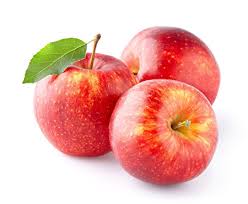
This method applies to any image or photo. First, find an image, such as the apple image below (2 light sources, located at the upper left and upper right respectively).
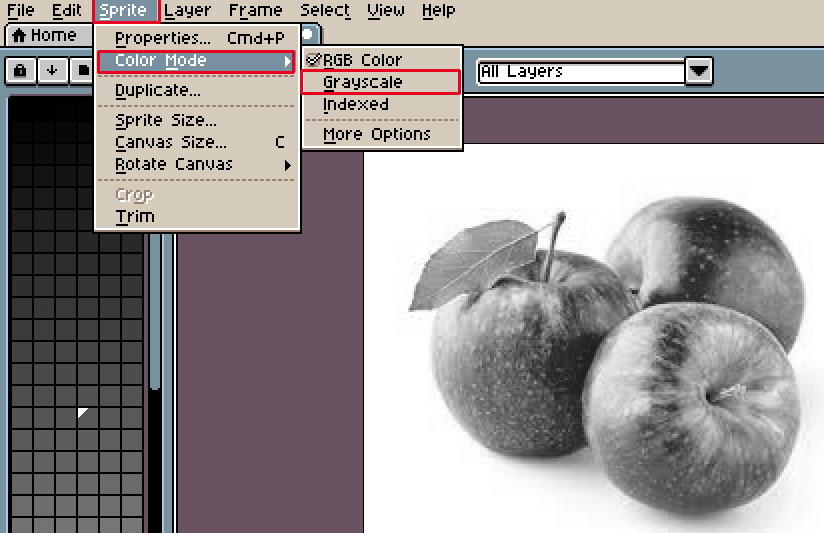
Open it in Aseprite, select Sprite > Color Mode > GrayScale to convert the image to grayscale mode. With the color information removed, isn't the light and shadow more intuitive?
Still can't find the light-dark boundary? Can't paint light and shadow?
Here's another trick for you.
First, delete all colors in the color table on the left.
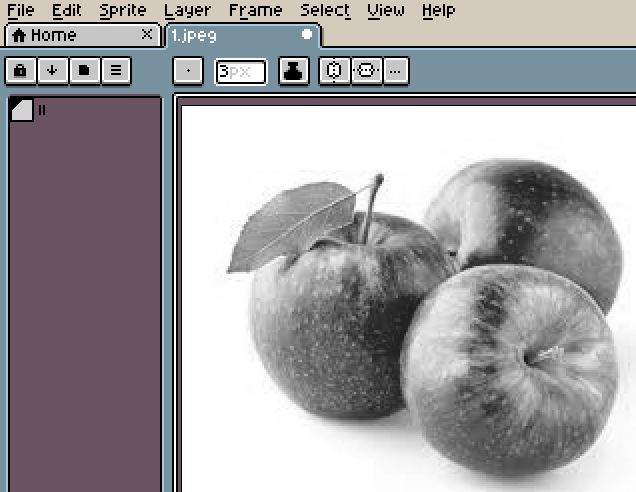
Then manually select the gradient colors you see with your eyes, from white to the darkest color.
I selected 7 gradient colors from white to deep black. Then select Sprite > Color Mode > Indexed to convert the image to indexed mode.
Aseprite will automatically match the colors to the image gradient.
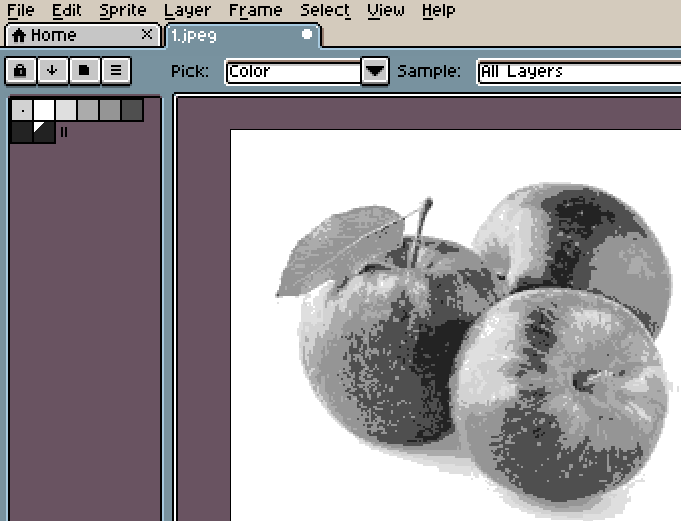
Now the color layers of the apple are very clear, and the light-dark boundary is also very obvious (it's not a line, but an area shape).
3. Summary
What to do when you can't paint light and shadow?
Step 1: Remove color information and only look at the grayscale image.
Step 2: Choose your own black-and-white gradient colors to simplify the light and shadow.
4. Homework
Use the light and shadow analysis method to analyze the image, character, or scene you want to draw.
课程作者:像素熊老师
微信公众号「教你画像素画」 · B站 · X / Twitter · GitHub