Lesson 19: Game Character Idle Animation
1. Key Frames
Every action has two critical points.
-
Moving from point A to point B
-
Changing from pose A to pose B
These two points are called --- key frames (animation term).
The core of drawing good animation is choosing the right key frames and drawing them out.
2. In-Between Frames and Animation
Connect the key frames with --- in-between frames (animation term), and play them in sequence to create animation.

Author: Takano
Running animation frame-by-frame analysis:
-
At point A, the left leg is forward and the right leg is back;
-
At point B, the left leg is back and the right leg is forward.

Author: Takano
3. Character Idle Animation
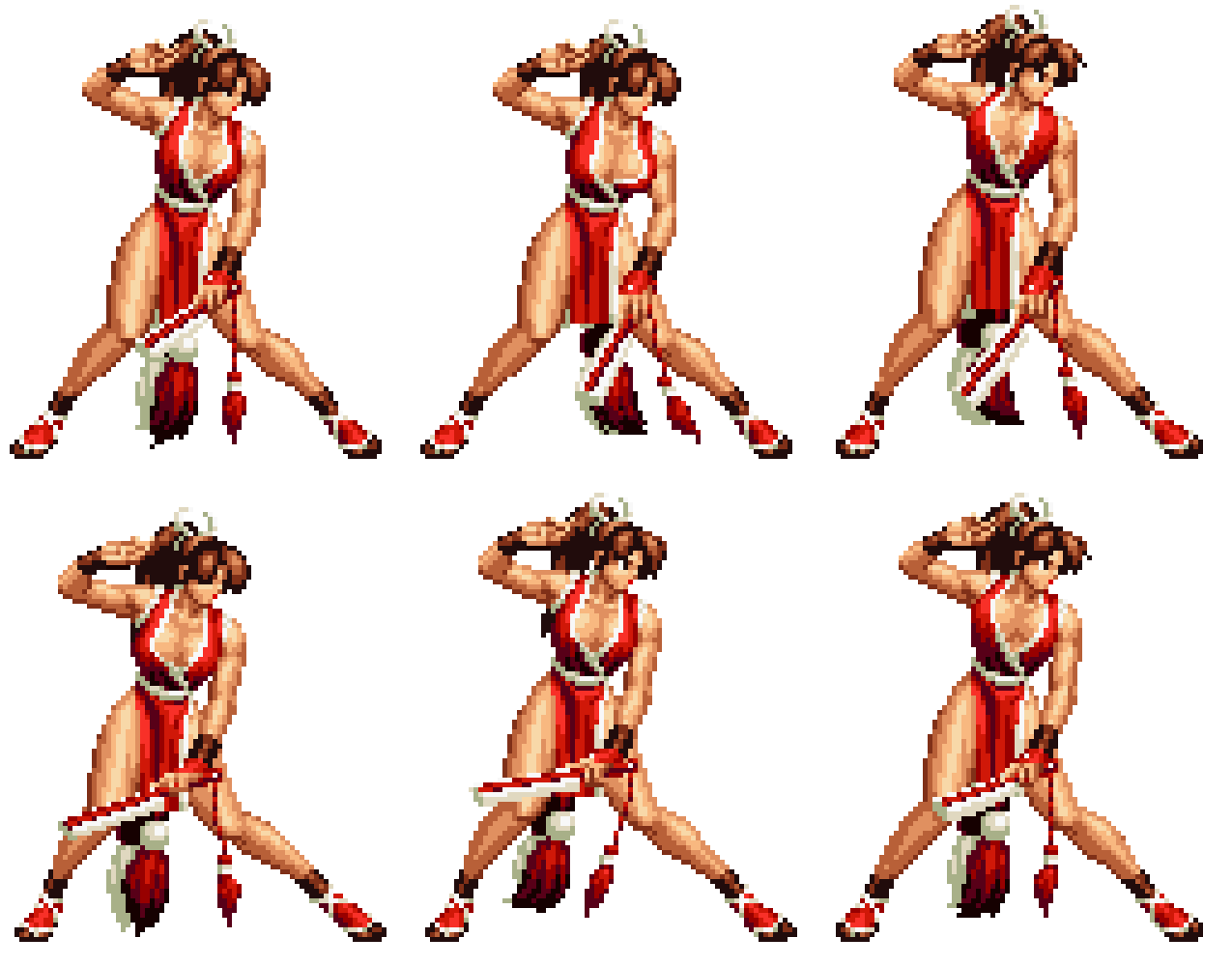
Idle animation is one of the essential actions for game characters.
The simplest idle animation has only 1 standing frame; when the player stops controlling the character, it just stands there blankly. Super Mario's character idle action only has 1 frame.
A regular idle animation adds body movement to the originally static standing pose, making it look like the character is breathing.
Ordinary pixel art game characters are relatively small, so the idle motion is a simple up-and-down bob.
Fighting game characters are larger, around 100 pixels tall, and each character's idle animation is specially designed to match their personality and profession.
3.1. Two-Stage Idle Animation
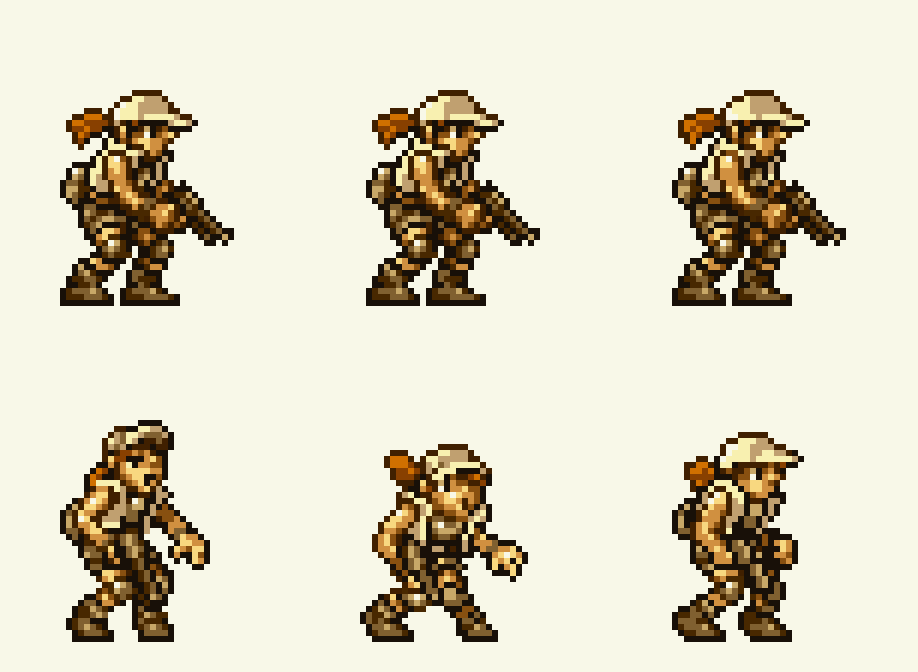
Two-stage idle adds new animation on top of the regular idle, playing every once in a while.
This greatly improves the character's visual appeal; sometimes players will deliberately stop controlling the character just to see what the two-stage idle looks like.
For example, this Metal Slug game character adds a sneezing animation to the idle action. This sneezing animation might appear in ice/snow levels --- pretty interesting, right?
4. Idle Animation Production Method
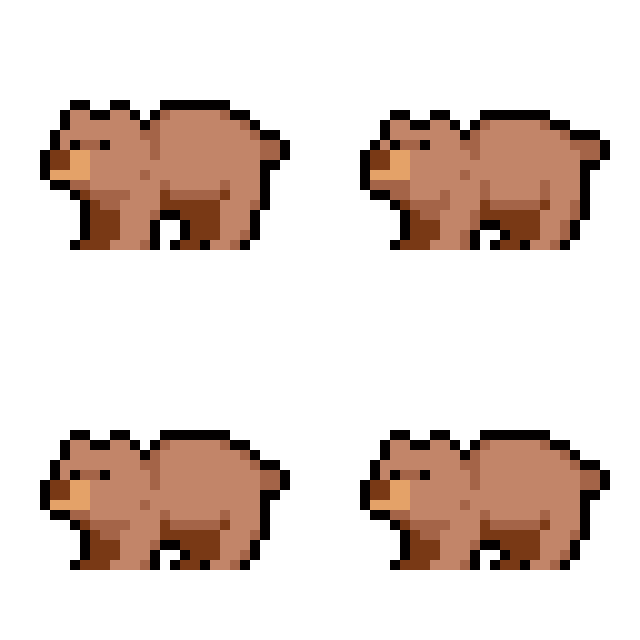
- First, you need a character standing frame. Mark it as frame 1.

Then make 3 copies. These will be frame 2, frame 3, and frame 4.
- Move frame 2 up by 1 pixel
Select the knee position.
- Move frame 3 down by 3 pixels

- Move frame 4 down by 2 pixels based on frame 3

Note: When moving upward, the body will stretch and become thinner; when compressing downward, the body will become fatter and wider.
Fill in the missing pixels, set the frame order to 1-2-3-4, and set the frame rate to 100 milliseconds.
In the simplest idle animation, you only need to shift positions and then fill in the missing pixels.

4. Two-Stage Idle: Giggling
Usually these animations play randomly during the simple idle loop.
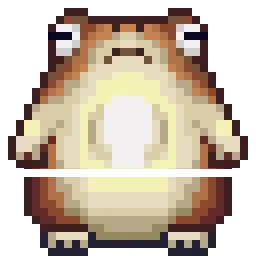
Below is a frog. We will make a giggling animation. The standing frame is already drawn, with the right hand placed near the mouth. The specific action is lowering the head, then shaking the head and hand.
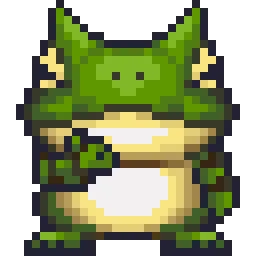
Standing frame, marked as frame 1.

Lower the head, marked as frame 2. Just move the head down a few pixels.
To make animation easier, the standing frame character should be separated into layers. Head, body, and limbs are best separated, and ideally the facial features too.

Shake, marked as frame 3. Slightly move the head and hand upward.
Set the sequence to 1-2-3-2-3-2-3, with the first frame at 500 milliseconds and the rest at 100 milliseconds.

5. Mixing Methods
These two methods can be mixed together.

The pumpkin monster adds a special "pause" animation on top of the bobbing idle animation.
Boomerang Shooter Idle Animation Video Tutorial
Pixel Art Game Character Two-Stage Idle Action
Game Character Idle Action
Homework
Take a character you previously drew and create an interesting two-stage idle animation.
课程作者:像素熊老师
微信公众号「教你画像素画」 · B站 · X / Twitter · GitHub