Lesson 2: Pixel Art Shapes
1. Shape and Form Fundamentals
All drawing is representational art; representation means the artist needs to trick the brain on a flat surface to create a sense of three-dimensionality.
Pixel art is the same.
You first need to draw accurate shapes.
1.1 What is a Pixel Art Shape
A shape in pixel art is a combination of pixels of the same color.
If you've played Tetris, you'll have a good understanding of pixel shapes—different colored Tetris blocks combine to form various shapes.
Fun fact:
In the language of drawing, points, lines, and planes can be transformed into one another.
1 pixel, viewed from a distance, is a [point]; zoomed in, it's a square [plane]; many 1-pixel units connected form a [line].
1 person, seen from very far away, is a [point]; walking right up to you is a [plane]; many people lined up far away is a [line].
Shapes are important because humans recognize things through shapes.
Everything you see is a 2D projection of an object on the retina; drawing is capturing this 2D projection.
Pixel art further simplifies and summarizes this 2D projection, using the fewest pixels and the fewest colors.
1.2 Start Practicing with Simple Shapes
The more complex a pixel art piece, the more shapes it contains.
To lower the learning curve and get continuous positive feedback, you can start with simple shapes.
The most basic forms are the square and the circle; all other shapes are derived from the square and the circle.
The simplest geometric solids are the cube and the sphere, so traditional drawing starts with the cube, then the sphere.
Pixel art follows the same rule.
From the earliest 8-bit games (with severe size and color limitations) like Super Mario, to later GBA-era Mario with almost no performance constraints.

Remove the shading from GBA Mario, reduce the colors, and can you spot the commonalities with 8-bit Mario?
GBA Mario's shapes are more delicate and rounded, implying more detail—you can see the thumb. The legs and shoes also have more detail (achieved through increased shading and color). Meanwhile, the head is larger, and the cartoon/chibi feel is stronger.
Shape is the foundation of pixel art and also the basis on which casual enthusiasts judge whether you've copied someone.
Shapes are original and have "copyright"; shading and color do not. For example, eboy has deeply cultivated the isometric pixel art style for years, painting almost everything. When you want to create isometric pixel art, you need to be careful that your shapes don't resemble eboy's, or even if you've never seen eboy's work, others will suspect you copied them.
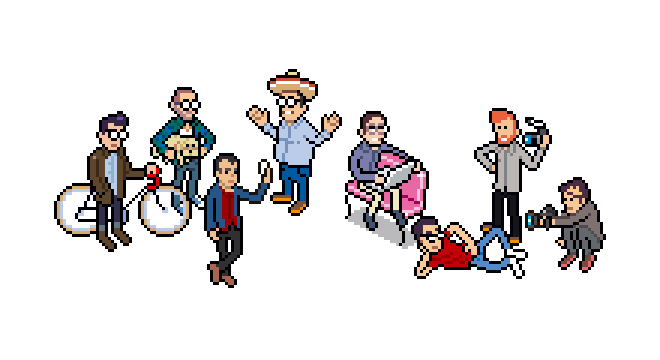
Author: eboy
This is the first-mover advantage of being the first to draw a certain pixel art shape.
The three basic elements of drawing are:
-
Shape;
-
Shading;
-
Color. (Shading and color can be converted into each other)
2. Pixel Art Self-Limitation Principles
Pixel art was born in an era of limited computer performance. Designers and game artists of the time used pixel art and various techniques to provide computer users and gamers with the most beautiful mosaic visuals possible.
This principle of self-limitation in pixel art continues to this day.
2.1 Principle 1: Use as Few Pixels as Possible
How to simply understand "use as few pixels as possible"?
Pixel art is composed of blocks; the fewer the blocks, the smaller the area a piece occupies, and the lower the computer performance requirements. Therefore, for the same line, using fewer blocks means the pixel art is better, provided the visual effect is similar.
See the specific example below 👇

❌: Uses many pixel blocks, with visually obvious jagged edges and corners.
➡️: The red pixel points are the blocks to be deleted (handled manually by the pixel artist).
✅: The line after removing the redundant pixel blocks. The effect is similar to ❌, but fewer pixel blocks are used, so ✅ is the ideal and perfect pixel art line.
Manual Line Cleanup
Therefore, compared to traditional drawing, after finishing a pixel art line draft, you still need to manually clean up the lines.
For this reason, I generally recommend that absolute beginners in pixel art don't draw line drafts but draw shapes directly. First, because drawing shapes is much simpler than drawing lines; second, modifying pixel art is more convenient.
Using the pencil tool in drawing software, the pixel art lines drawn will generally contain redundant pixels. After drawing, you need to clean up the redundant pixels (following Pixel Art Principle 1: use as few pixels as possible).
Then, you also need to fine-tune the shape formed by the lines according to the actual situation, so it's not as simple and time-saving as drawing shapes directly from the start.
Aseprite: Perfect Lines
Professional pixel art software Aseprite provides the pixel-perfect feature. After selecting the pencil tool, check "pixel-perfect" to enable it, so that every line drawn with the pencil becomes a perfect pixel line.
After checking pixel-perfect, the lines drawn are directly perfect.
When pixel art has redundant pixels (redundant means removing this pixel doesn't affect the visual effect), it becomes even more obviously awkward.
Although pixel art is all blocks, the human eye prefers curves. So perfect lines also try to make pixel art lines look less straight and sharp.
2.2 Principle 2: Use as Few Colors as Possible
How to simply understand "use as few colors as possible"?
Current smartphones and tablets have better performance than older computers. You can draw pixel art without considering color limitations at all—the artist can use as many colors as they want.
This is certainly possible because of creative freedom.
The classic pixel art self-limitation principle: creating pixel art under limited conditions is more classic and excellent.
Smaller-sized pixel art is more exquisite and enduring; you can see every pixel block in detail.
3. Methods for Reducing Colors
There are 2 methods for reducing colors: automatic color reduction and manual color reduction.
These two methods correspond to 2 different pixel art creation approaches. Essentially, as long as the final result follows the pixel art self-limitation principle, any method is fine.
3.1 Automatic Color Reduction
You need Adobe Photoshop. Use "Save for Web" to reduce the number of colors in an image, with real-time preview of the effect after color reduction.
Using image2Pixel to reduce colors allows you to see the effect of color reduction in real time. You can also replace different pixel art color palettes.
3.2 Manual Color Reduction
Pixel artists will start with a few colors for the draft, precisely controlling the number of colors used in each pixel art piece.
4. Pixel Art Shape Exercises
4.1 Icon Exercise
Icons are excellent single-shape practice themes for pixel art.
Main checkpoints:
- Did you restore the icon's shape with the fewest possible pixels?
- Are all icons uniform in size?
- Are the circles round enough?
- Are all the details you wanted to show drawn?
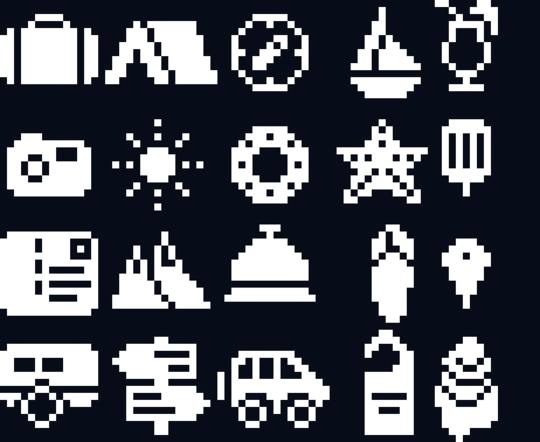
Author: Xiao Yu Dong Dong Yao (Excellent Student)
4.2 Logo Exercise
A logo is a single or complex shape with color. Pixel art beginners can start with simple logos and gradually transition to complex ones.
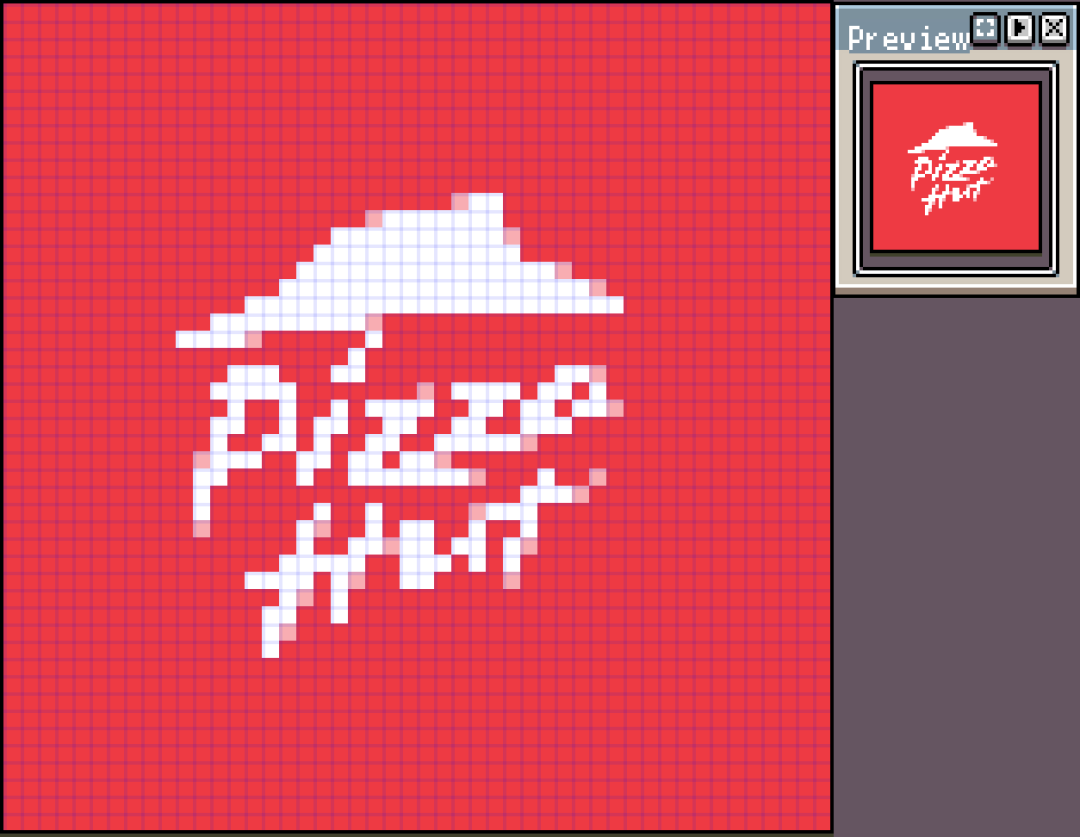
Author: Pixel Bear
The Starbucks Coffee logo is a complex shape.

Author: Pixel Bear
4.3 Cartoon Character Exercise
Cartoon characters are more complex than logos, involving more shapes and colors.
You should try to choose cartoon characters with clear lines and color blocks as pixel art practice themes.

Author: Yiwen (Excellent Student)
4.4 Original Art or Photo Exercise
Original art or photos are more difficult themes than cartoons. Original art and photos have a lot of detail, which needs to be simplified and selected when converted to pixel art.
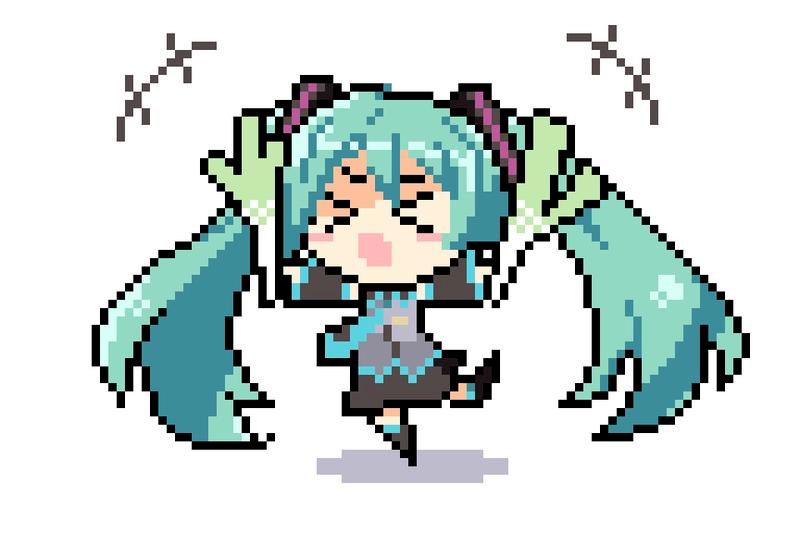
Author: MIR (Excellent Student)
4.5 Downsizing Exercise
Shrink your favorite pixel art works.
The downsized pixel art will lose order due to collapse; you can restore the pixel order (following Pixel Art Rule 1) to form a new work.
Shrinking a master's work causes order collapse and requires readjustment.
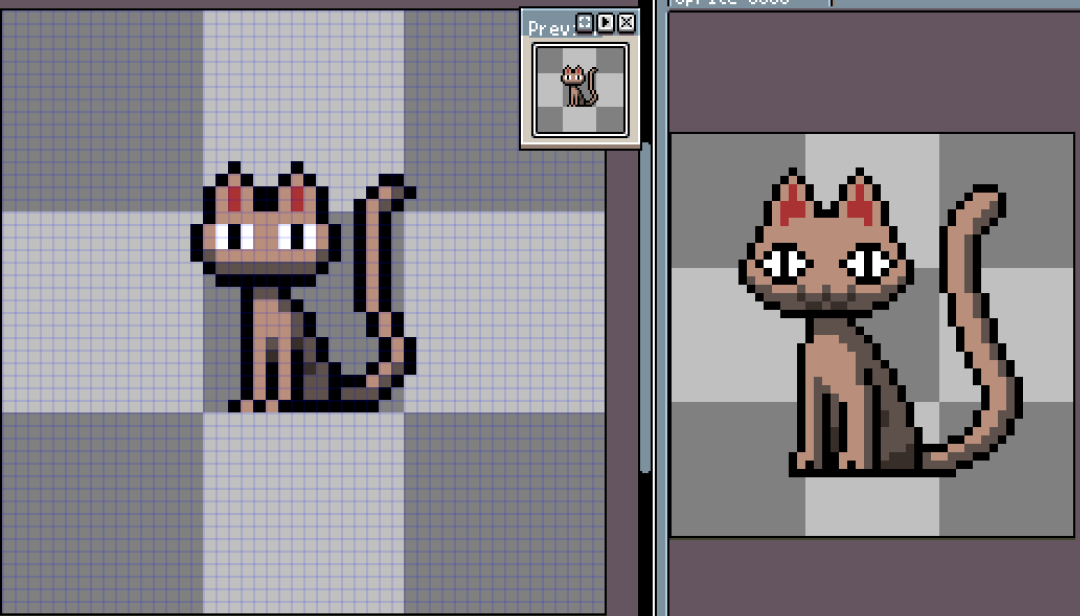
Of course, you can also choose not to shrink it but redraw it directly into a minimalist pixel art piece, using the original as reference material.
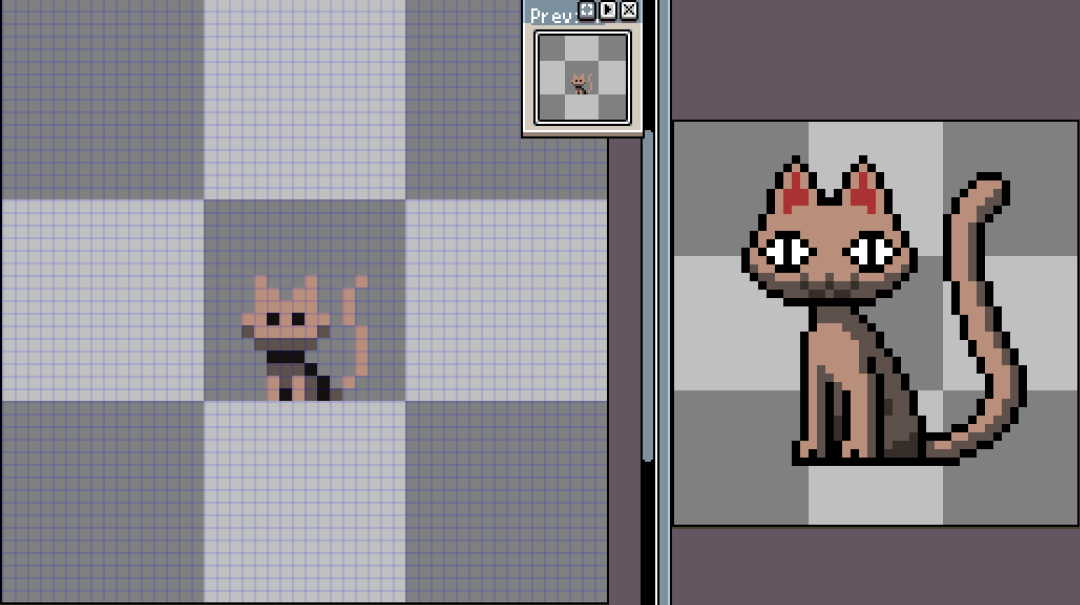
Extreme Downsizing
5. Homework
Complete a pixel art shape exercise. Choose one of the above based on your current level.
After completion, post your work to the community, and the teacher will review or correct it.
课程作者:像素熊老师
微信公众号「教你画像素画」 · B站 · X / Twitter · GitHub