Lesson 20: Character Attack Animation
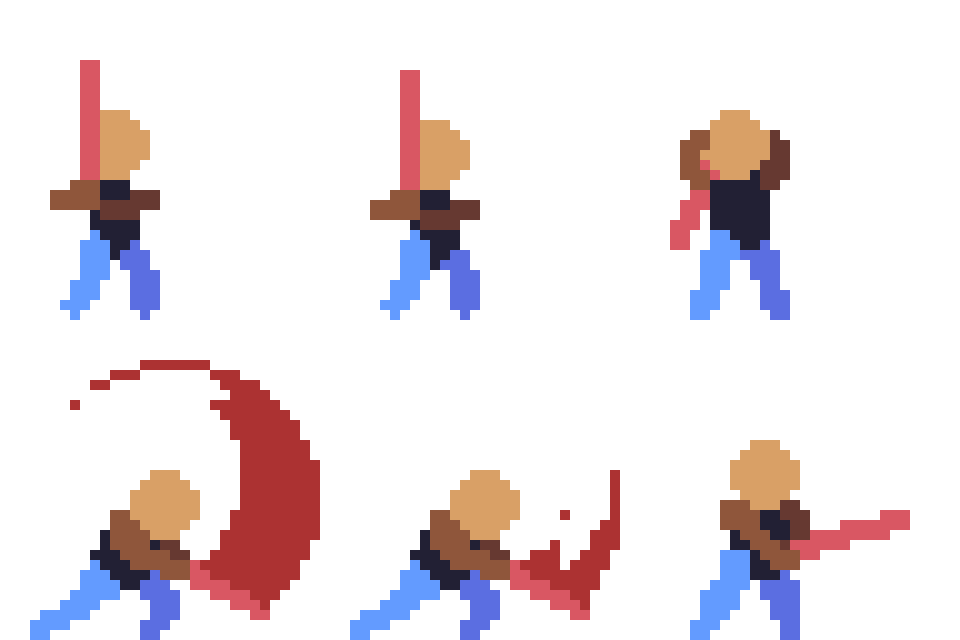
Why do people love playing games? Because games are full of animation, with visual appeal rivaling cartoons.
Animation intimidates many people, but it's really just a sequence of individual drawings played in succession.
As long as you can draw a single picture, you can make animation, and you can make games. You don't even need to have studied art --- just use the natural human instinct to imitate!
The simplest character animation is a stick figure. Once you learn stick figures, you can make games. And stick figures have no copyright; draw and use them however you like.
1. Standing Frame
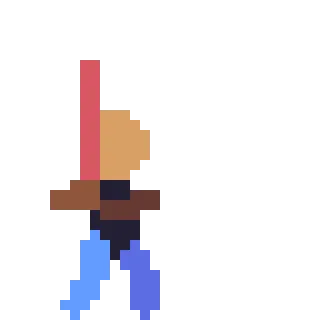
Use different colors to suggest different body parts. Break the character into head, body, limbs, and weapon.
Once you have a standing pose, you can start making animation.
Attack animation can be simply divided into 3 parts:
-
Wind-up (bosses always have a startup pose before a big move; players have one too, but it's usually shorter)
-
Strike (this is the attack frame --- touch it and you lose health or the game ends)
-
Recovery (this can be understood as hit-stun; generally after a boss uses a big move, there are a few recovery frames, and that's when players can beat on the boss)
1-3 frames for each part is enough.
2. Wind-up
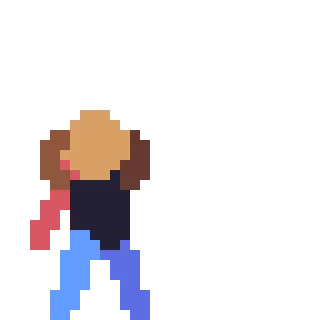
To chop forward, you need to lean back first.
3. Strike
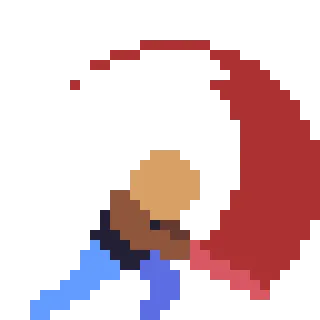
The character leans forward and chops out, adding a red slash effect for better results.
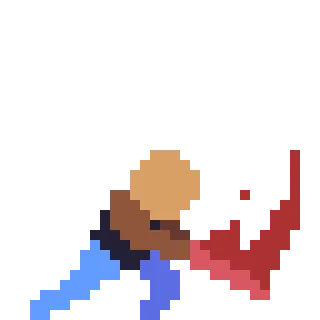
Add 1 frame of retracting the slash.
4. Recovery / Hit-stun
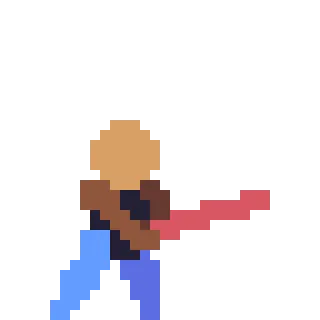
After the chop ends, the character needs to return to the standing pose; this is the intermediate state.
Play the drawn frames in sequence, and it becomes an attack animation ready for use in a game.
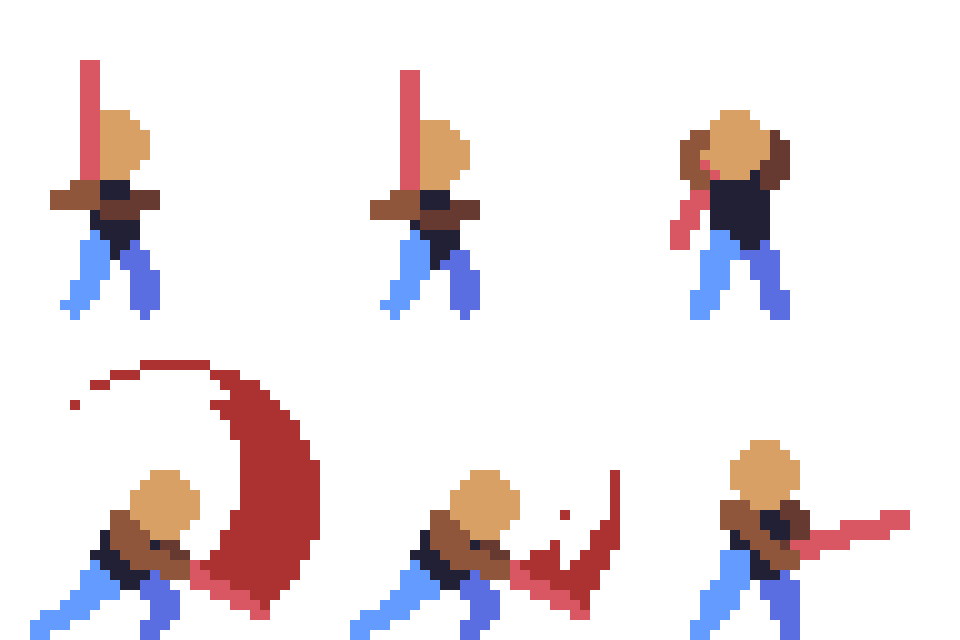
Of course, once you learn animation, making a few-minute short animation is also possible.
Character Two-Stage Attack Animation Demo
Character 7-Frame Attack Explanation
Homework
Use the method introduced in this lesson to create a character attack animation.
课程作者:像素熊老师
微信公众号「教你画像素画」 · B站 · X / Twitter · GitHub